
2- Components and Specifications
The following components are included as standard in the delivery of the system:
- Cobox (including power cable)
- Auda (including loudspeaker)
- Soundvest
- Router
- Instruction manual
2.1 Cobox
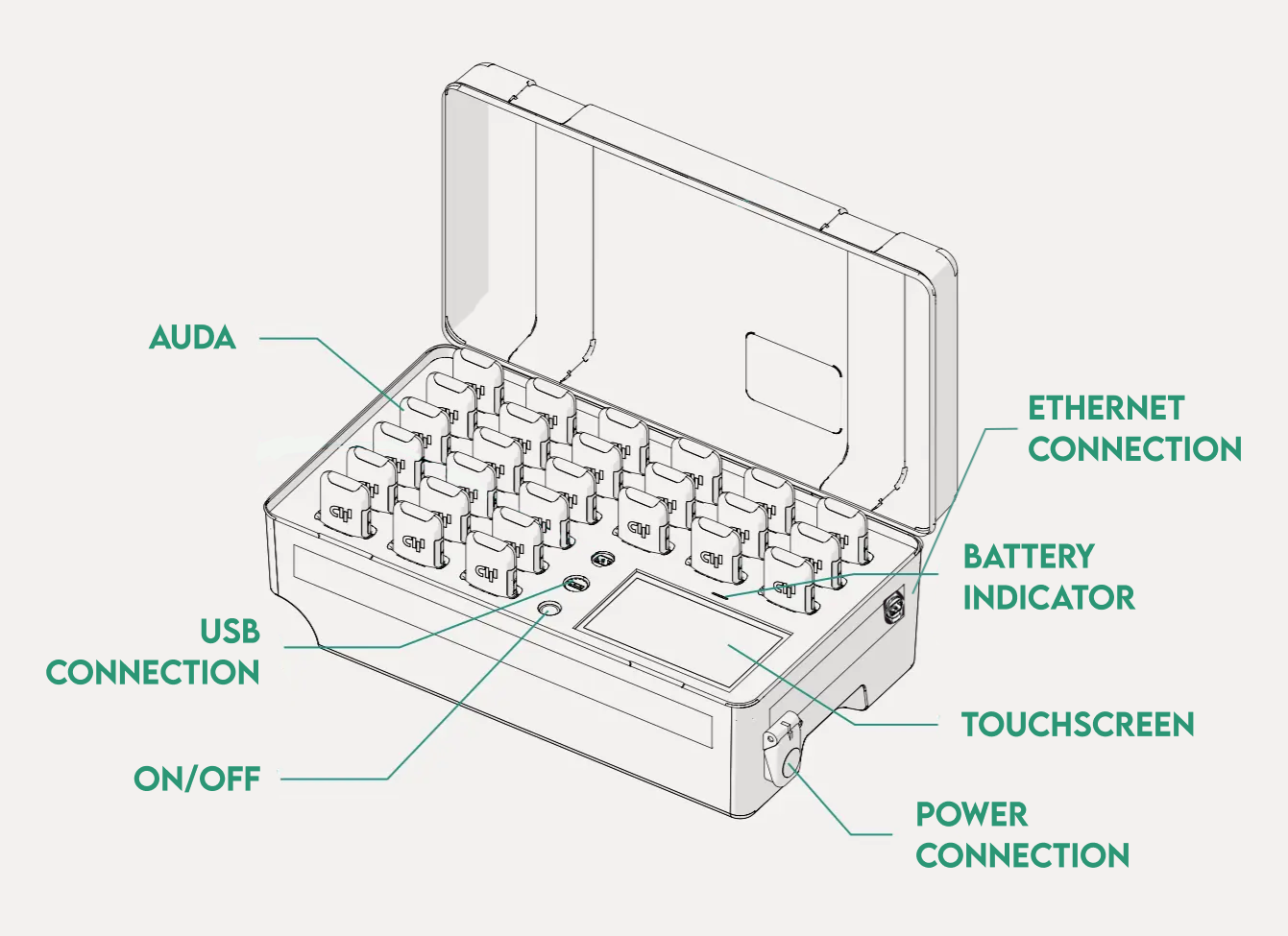
The COBOX consists of a portable case in which up to 27 AUDAs can be transported, stored and charged. The AUDAs are assigned to the players via the integrated touchscreen.
| COBOX | |
|---|---|
| Article number | CW-0002-0A-R-0001 |
| Dimensions (L x W x H) | 521 x 292 x 183 mm |
| Weight | approx. 5000 g |
| Power supply | 230 V (AC), 50 / 60 Hz |
| Connectivity | WLAN | Bluetooth |
| Frequency band | 2,412 GHz to 2,472 GHz (WLAN) | 2,402 GHz to 2,48 GHz (Bluetooth) |
| Maximum transmission power | EIRP: 19,99 dBm (WLAN) | EIRP 9,6 dBm (Bluetooth) |
| Environmental conditions | Operation: -30 °C … 60 °C (weatherproof) Charging: 0 °C … 45 °C Storage: -20 °C … 60 °C |
| Protection class | Protection class II | IP67 |
2.2 Auda
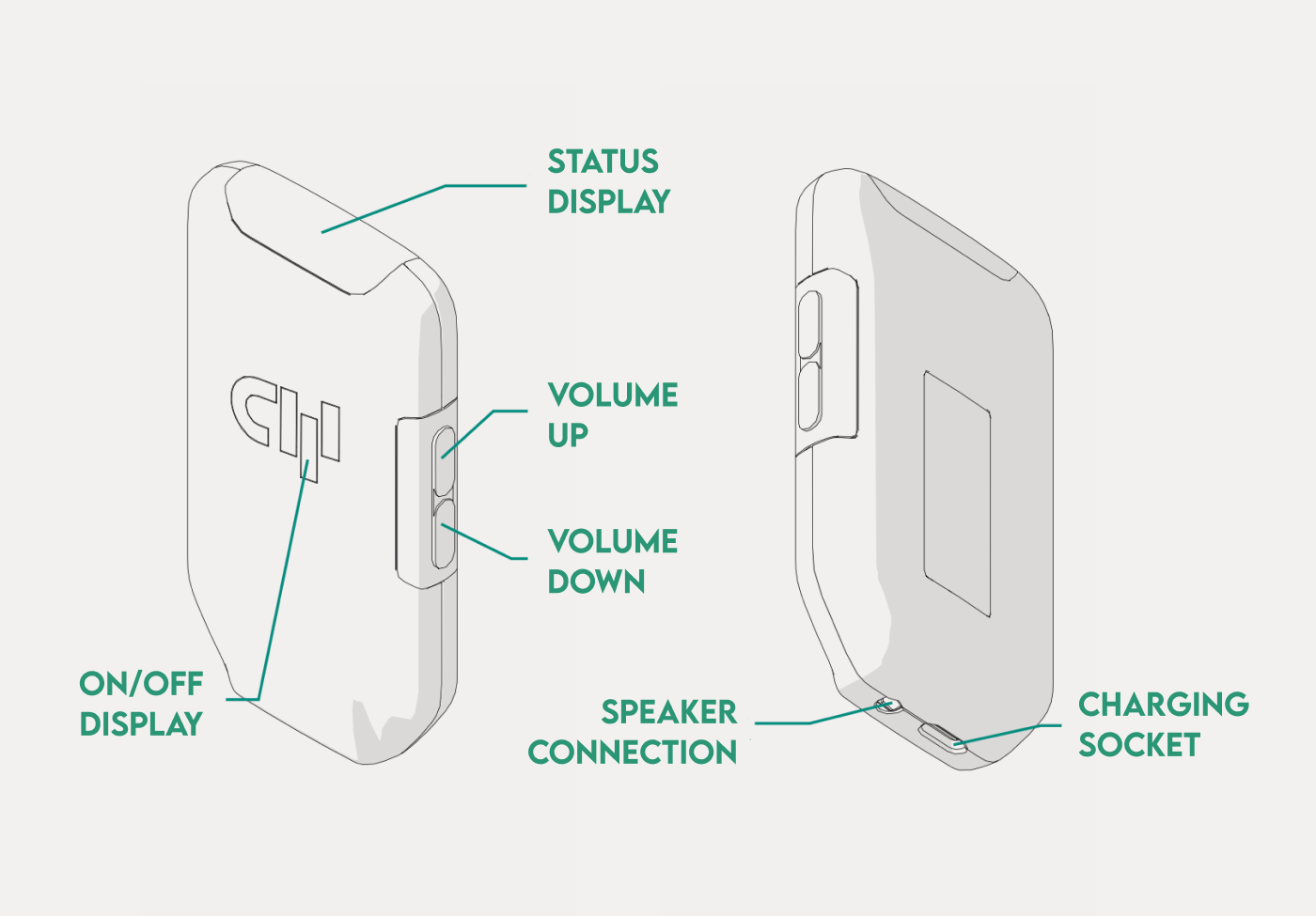
The AUDA is worn by the players on their bodies or in an optionally available and specially developed sound vest (SOUNDVEST). It enables data to be received from the coach to the player.
| AUDA | |
|---|---|
| Article number | CW-0005-0A-R-0001(AUDA) CW-0006-0B-HW-0001 (Loudspeaker) |
| Dimensions (L x W x H) | 70 x 50 x 15 mm |
| Weight | 100 – 150g |
| Power supply | 5 V (DC) | 0,7 A |
| Connectivity | WLAN | Bluetooth |
| Frequency band | 2,412 GHz to 2,472 GHz (WLAN) | 2,422 GHz to 2,462 GHz (WLAN) | 2,402 GHz to 2,480 GHz (Bluetooth) |
| Maximum transmission power | EIRP: 19,22 dBm (WLAN) | EIRP: 7,93 dBm (Bluetooth) |
| Environmental conditions | Operation: -10 °C … 60 °C Charging: 0 °C … 45 °C Storage: -10 °C … 60 °C |
2.3 Soundvest
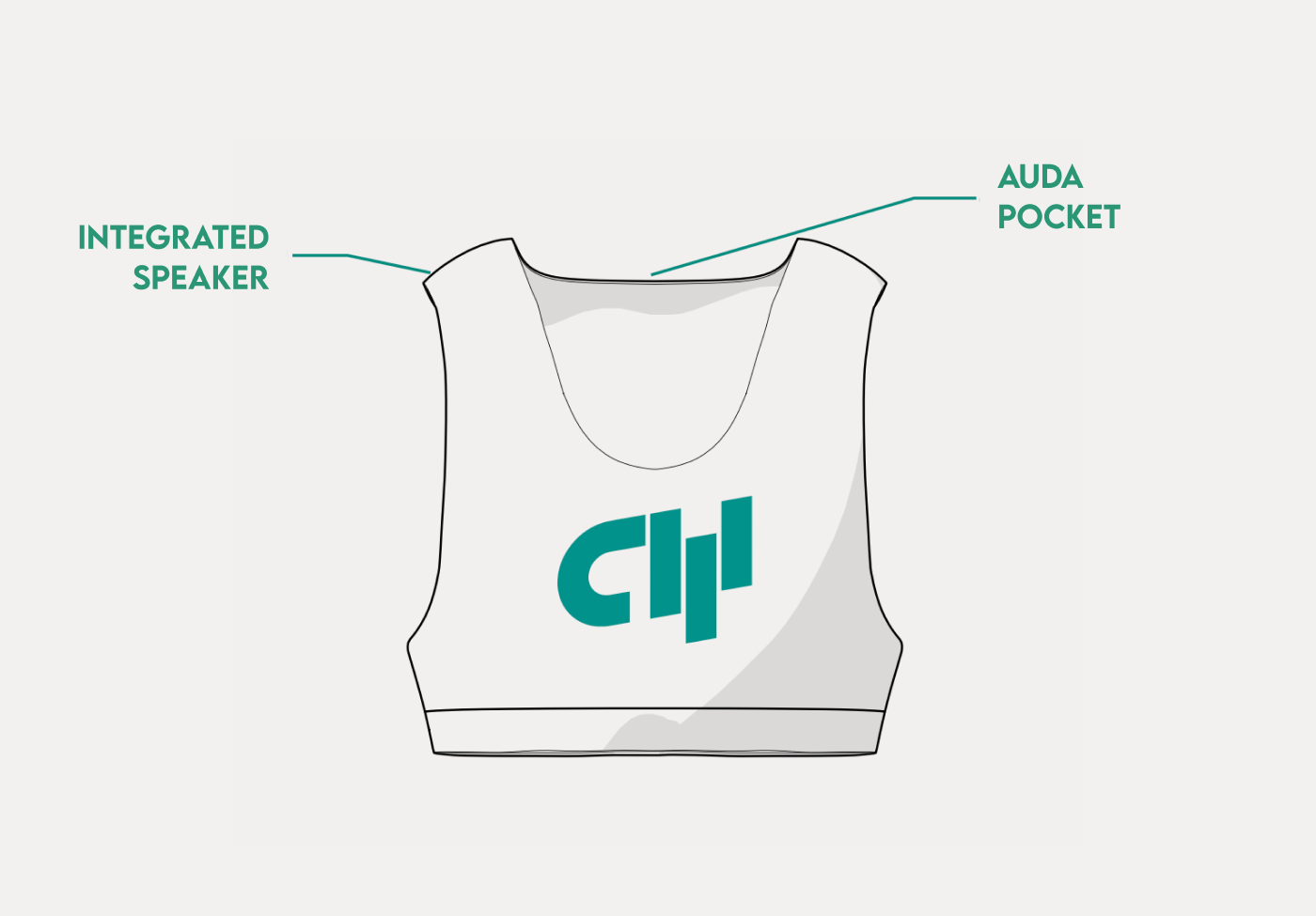
The SOUNDVEST is a vest that is used to safely store the AUDAs during use. A pocket on the back allows the AUDA to be optimally positioned and connected to the loudspeaker pre-mounted in the SOUNDVEST.
| SOUNDVEST | |
|---|---|
| Article number | CW-0006-MEC-0B-0001 |
| Sizes (length x chest) | S (33 x 36 cm) M (34 x 38 cm) L (35 x 40 cm) XL (36 x 42 cm) XXL (37 x 44 cm) |
| Material | 82 % Nylon 18 % Elastane |
3- Preparation and Initial Setup
The components of the system are packaged as required upon delivery. Before the first use please check the delivery for the following:
- Completeness of the product components
- Integrity of the packaging and all components contained
- Completeness and accuracy of the delivery documents
In case of defects or damage, please report them immediately to the manufacturer and the responsible supplier and document the issue.
3.1 Create an Apple account
Create an Apple account on your iPad:
- Go to Settings and tap Sign In in the top left corner.
- Sign in with your existing Apple ID, or tap Forgot Password or Don’t Have an Apple Account?
- Tap Create a Free Apple Account.
- Select your birthday and enter your name. Tap Next.
- Enter your email address. This will be your primary email address for signing in to your Apple account. If you don’t have an email address, tap Don’t have an email address? to get a free iCloud email address.
- Follow the onscreen instructions to verify your email address, create a secure password, set the device country or region, and set up two-factor authentication. After you confirm your email address, you can sign in to your new Apple account and use the App Store and other Apple services like iCloud.”
3.2 Install the CoachApp
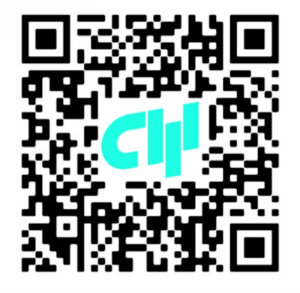
In order to use the Coachwhisperer system you need to download the CoachApp into your personal iPad. If the iPad device is provided by the manufacturer, the CoachApp will be already downloaded and ready to use.
Install the CoachApp using the following QR code:
3.3 Initial setup of the Coachwhisperer
This section will guide you through preparing and setting up your Coachwhisperer system for your training session. Please follow the steps carefully to ensure optimal performance.
- Make sure all the devices are fully charged.
- Set-up the router system and connect it to the Cobox. Turn on the Cobox and login into the CoachApp.
- Once the Cobox is fully powered on, scan the QR code displayed with the CoachApp to link both devices. If this is not displayed, you can find the options in both devices settings screens.
- With the Cobox and CoachApp linked, select your players by tapping them on the Cobox touchscreen.
- Take the Audas that lights up out of the Cobox, and hand them to the assigned players to plug into their Soundvest.
- Connected players should appear in CoachApp, ready to start the communication.
6- Disposal
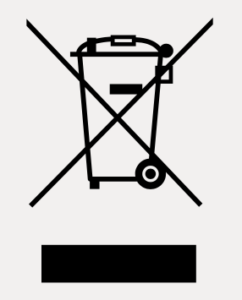
The crossed-out wheeled bin symbol indicates that a product and its accessories (e.g. charger, USB cable) should not be disposed of with household waste at the end of their life. To prevent harm to the environment or human health from uncontrolled waste disposal, and to promote the sustainable reuse of material resources, please separate these items from other types of waste and recycle them responsibly.
Batteries can contain substances that can be harmful to the environment and human health. You are legally obliged to return used batteries. Please note the disposal instructions on the batteries.
Before disposing of the product, consider environmentally friendly options, such as selling or repairing functional items to reduce waste.
- Personal Data: Ensure all personal information (e.g., saved login data, usernames, passwords, or files) is permanently deleted from the product.
- Batteries and Light components: Remove any batteries or light components if this can be done safely and without damaging the product.
- Disposal for Private Customers: Take the product to a public collection or recycling center in your area. Contact your local authority for details on suitable collection points.
- Disposal for Commercial Customers: Products can be returned directly to the manufacturer for proper disposal.